Ticketing
Attraction tickets sold on your own site, checked at the door
VenueOra is a visitor attraction ticketing system for UK operators. Create events with ticket types, each with its own price and capacity, sell them on a branded page and checkout on your own site, and check guests in by QR code at the door.
Step by step
How it works
- 1
Create the event and ticket types
Set the title, venue, start and end and imagery. Add as many ticket types as you need, each with its own price, description and capacity, and schedule when the event goes on sale.
- 2
Set the rules and discounts
Make a ticket type public or members only, couples or singles, limited by age or protected by a password. Create percentage or fixed discount codes with expiry dates, usage caps and campaign URLs.
- 3
Sell on your own site
Guests buy on a branded event page, cart and checkout on your site, as a guest or as a member, with Apple Pay, Google Pay or card. Custom checkout fields collect what you need to know.
- 4
Deliver and check in
The confirmation email carries a downloadable ticket with a unique QR code and an Apple Wallet or Google Wallet pass. Staff scan it at the door, and a ticket that has already been used is rejected.
What you get
Visitor attraction ticketing, event by event
One event carries as many ticket types as you need, each with its own price, description and capacity. Live capacity and sales show on the event as tickets sell.
Rules on who can buy
Each ticket type can be public or members only, couples or singles only, limited to required membership types or plans, restricted by age, or protected by a password you share with the right people.
Discount codes and campaign URLs
Percentage or fixed codes, single-use or multi-use, with an expiry, a usage cap and a scope of one event or every event. Campaign URLs carry a code into the checkout from an advert, email or post.
Branded checkout on your own site
The event page, cart and checkout sit on your white-label site or your bespoke brand site, with your logos and imagery. Guests pay by Apple Pay, Google Pay or card, as a guest or a signed-in member.
Wallet passes and QR tickets
Every order confirms by email with a downloadable ticket carrying a unique QR code and an Apple Wallet or Google Wallet pass. The guestlist shows who has checked in, and a used ticket is rejected at the door.
Refunds, reissues and reports
Refund an order, cancel individual tickets, reissue or re-download tickets and resend the confirmation by email or SMS. Reports cover sales, VAT, year-on-year comparison and daily capacity.
The dashboard
From the event card to the order
Each event card shows its start time, a capacity bar and sales per ticket type, and each order opens on the customer, the items, the issued tickets and the payment, with refund, cancel and resend to hand.
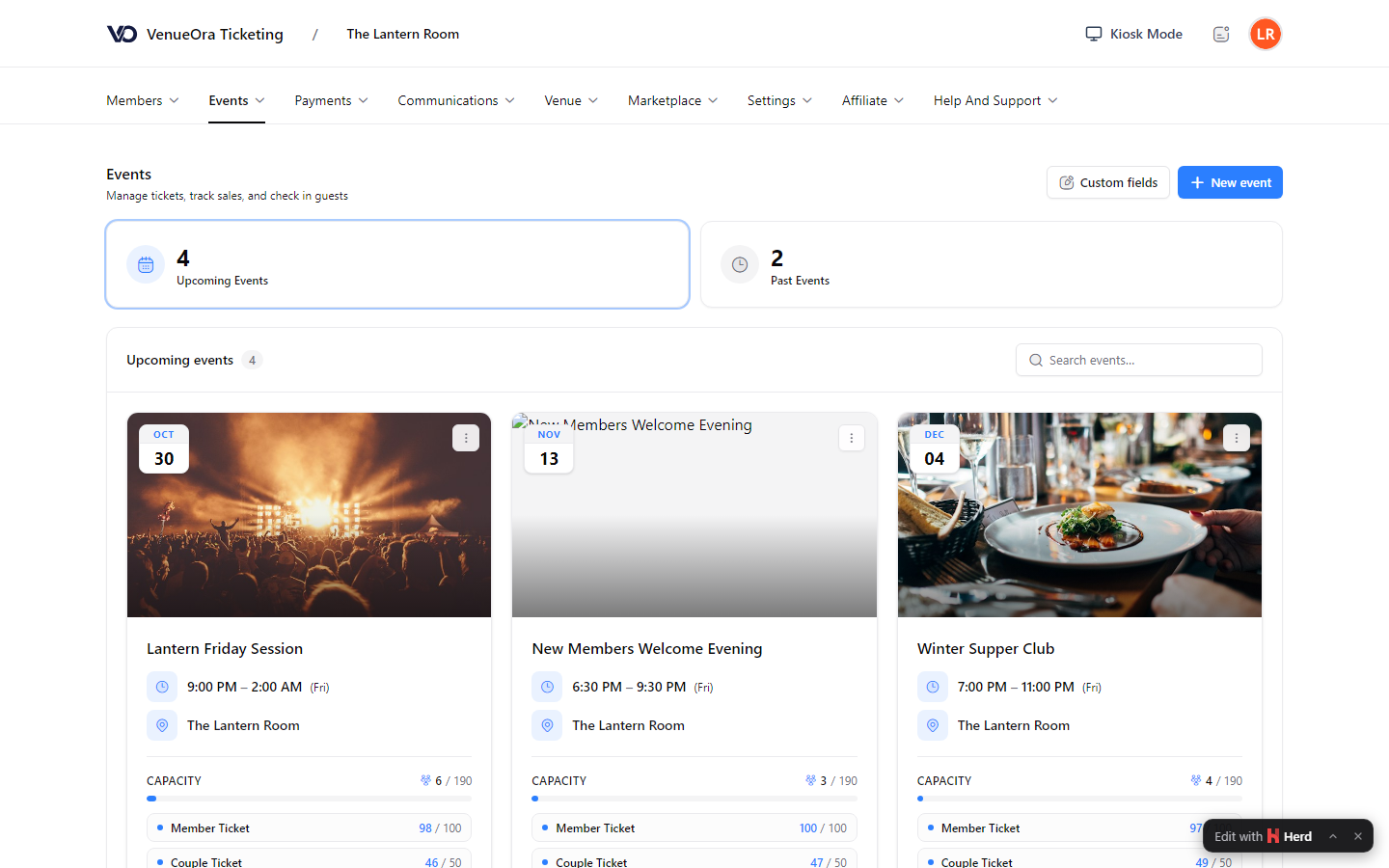
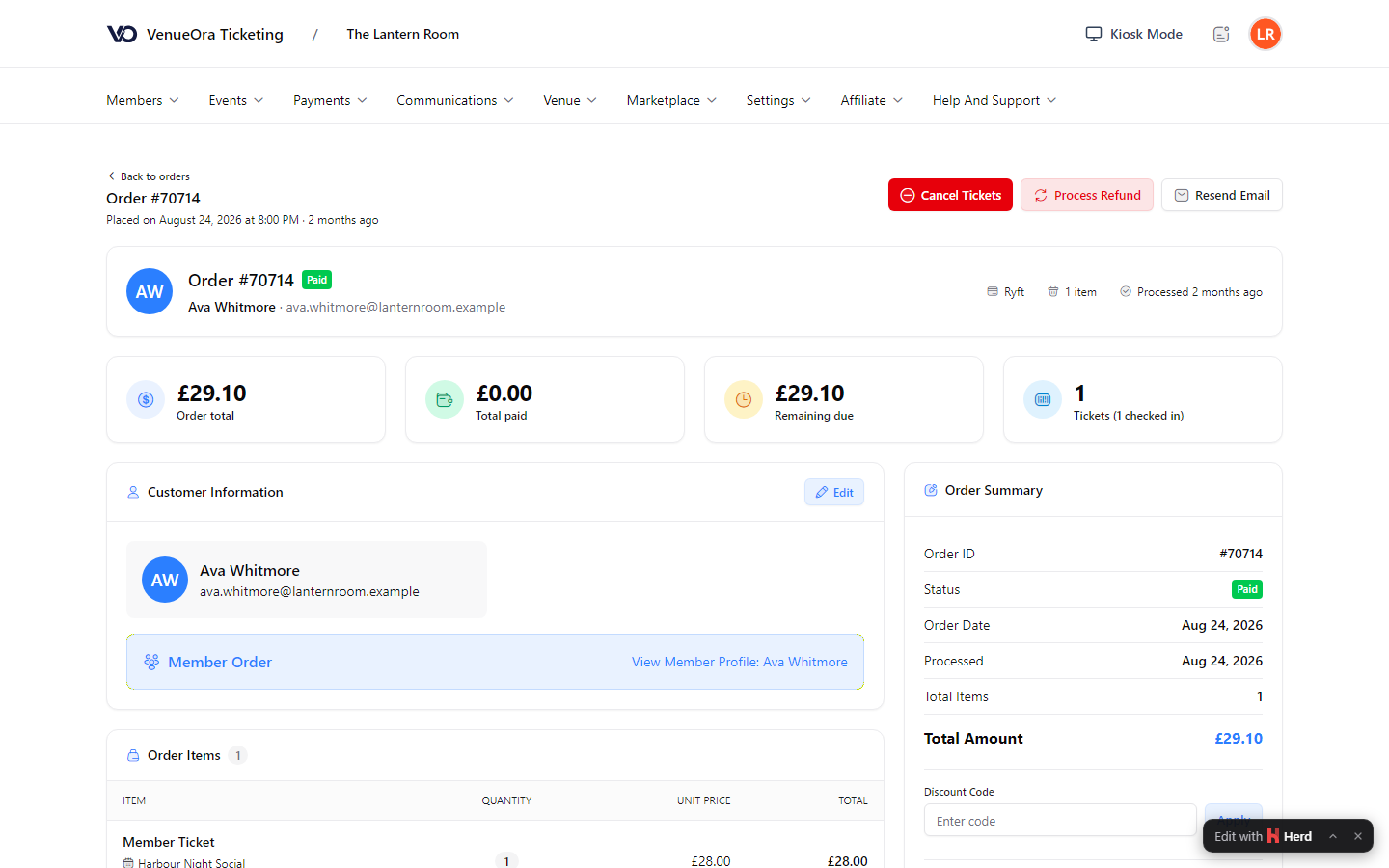
Screens show a live venue. Personal and venue details are blurred.
-
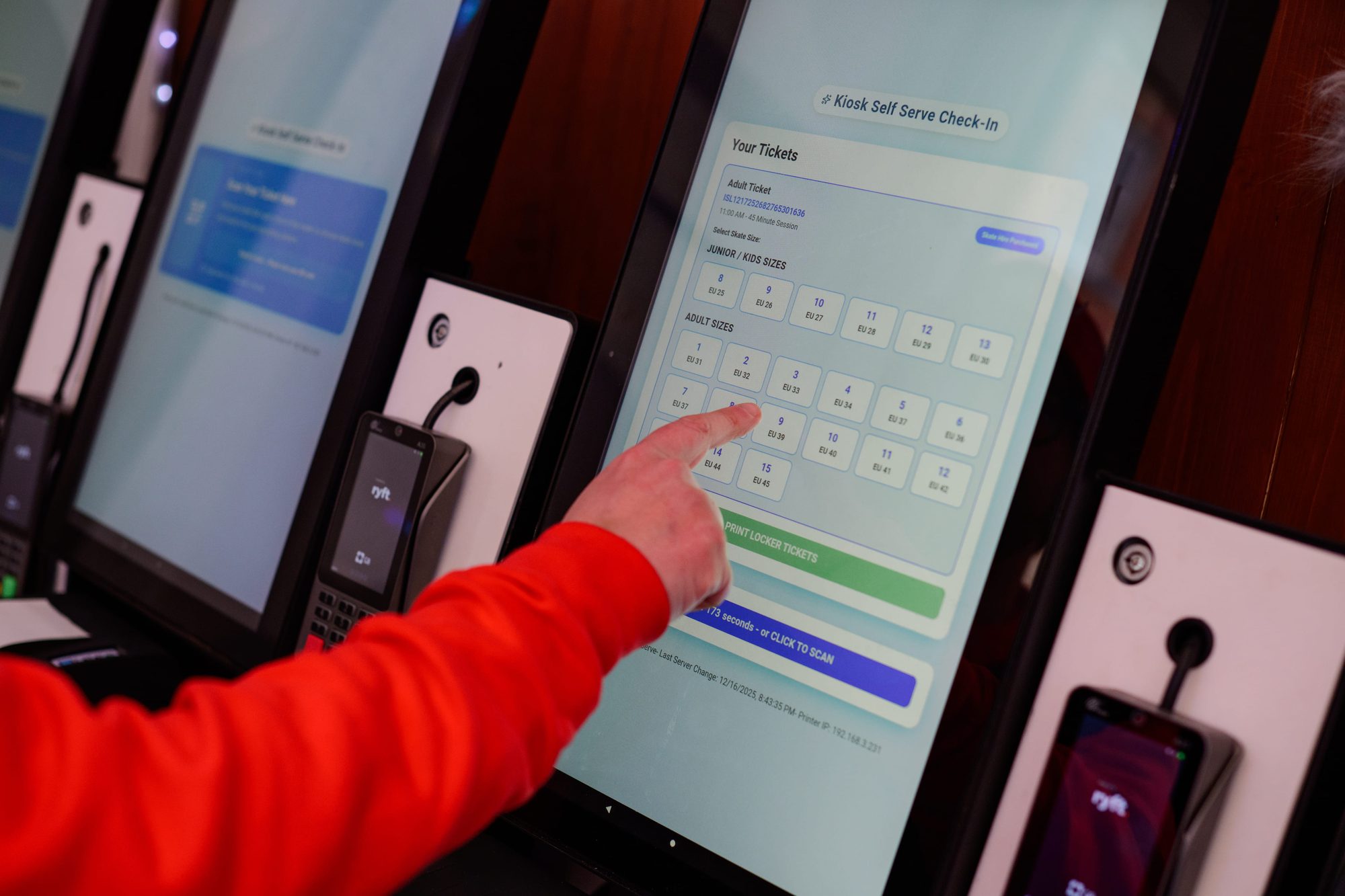
Self-serve check-in on a VenueOra kiosk: pick a skate size and get a locker -
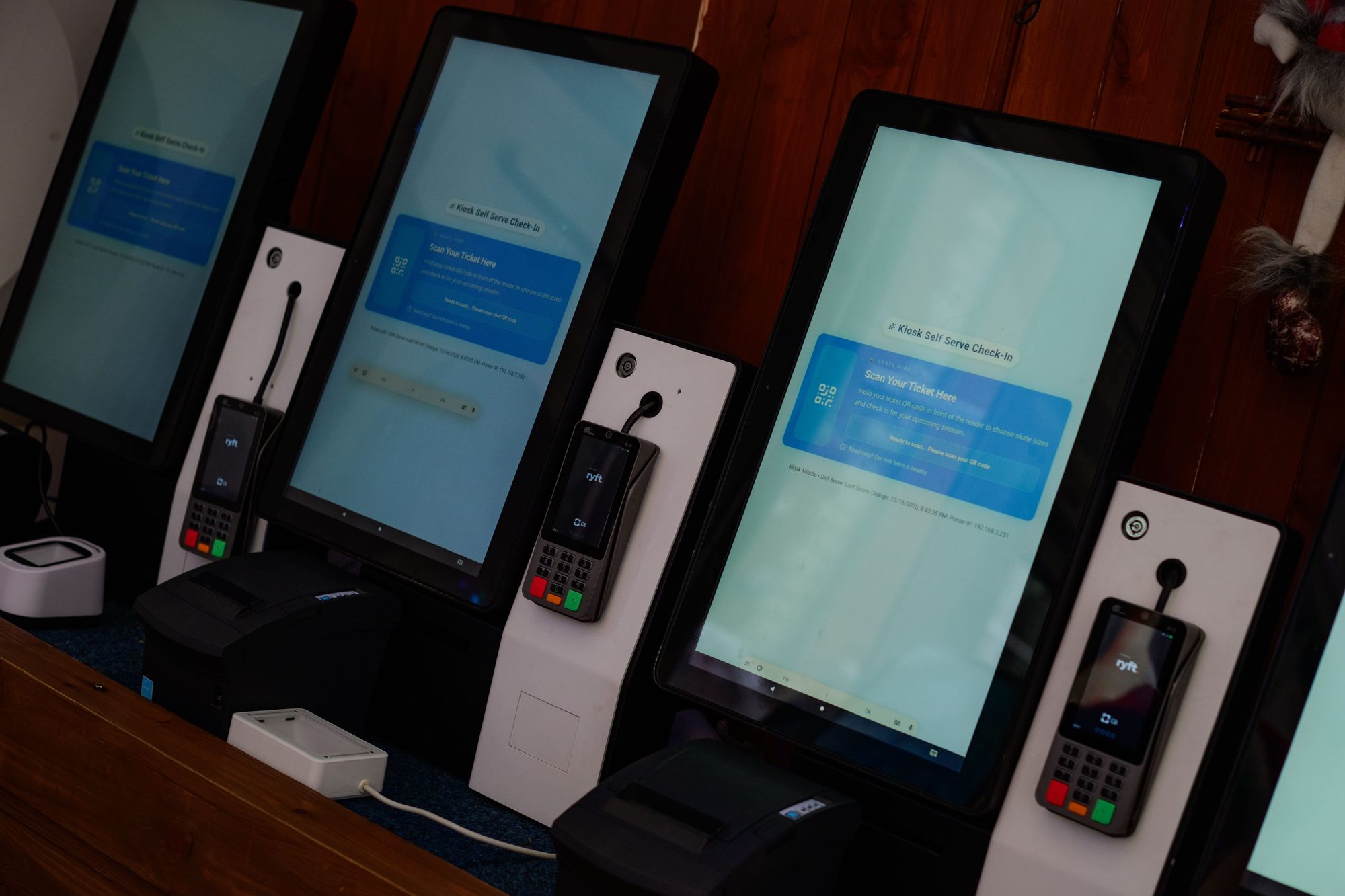
VenueOra self-service kiosks with card terminals and ticket printers
Why one platform
The ticket, the member and the order are one record
When ticketing, memberships and payments live in separate systems, nobody can see one guest's whole visit. On VenueOra a ticket, a membership plan, a locker and a kiosk sale sit on the same order and member records, so the door, the dashboard and the accountant read the same figures.
Tickets and memberships together
Member-only ticket types, required plans and guest day passes work because tickets and memberships share one record. A member buys a ticket signed in, and the door sees both.
Payments on one order
Online checkout, kiosk sales and card-present payments on a terminal land on the same order record, with refunds, partial cancellations and payouts in one dashboard. Card data never touches your tills, kiosks or lockers.
Messages to the right people
Message the guestlist of one event, every member, a segment or a custom list from the event workspace, and send order confirmations by SMS when a guest cannot find the email.
Outcomes
What changes for your venue
01
Capacity you can trust
Each ticket type stops selling at the capacity you set, and live capacity and sales on the event show you how many are coming before the doors open.
02
Your brand, not ours
The event page, cart and checkout carry your name, logos and imagery on your own domain, so the guest buys from you rather than from a ticket marketplace.
03
A door that checks, not searches
A unique QR code on every ticket, scanned once at the door, means staff check tickets rather than hunt for names, and a guestlist search covers the exceptions.
FAQ
Questions venues ask
What is a visitor attraction ticketing system?
Attraction ticketing software sells admissions online and at the door, limits how many tickets of each type are sold, and checks each ticket on arrival. VenueOra does this with events that carry multiple ticket types, each with its own price and capacity, a branded event page and checkout on your own site, Apple Wallet and Google Wallet passes with a unique QR code, and QR check-in at the door that rejects a ticket already used.
Can I restrict who buys a ticket type?
Yes. Each ticket type carries its own rules. It can be visible to everyone or to members only, open to couples only or singles only, limited to guests who hold a required membership type or subscription plan, restricted by age or profile type, or protected by a password. Members-only ticket types and scheduled publishing cover the nights you want to offer to members first.
How do guests receive and use their tickets?
The order confirmation arrives by email with a downloadable ticket that carries a unique QR code, and the guest can add it to Apple Wallet or Google Wallet. Signed-in members also find their tickets in their account. At the door, staff scan the code from the phone screen or the printout; a ticket that has already been used is rejected. If the email goes missing, you can resend it or send an SMS from the order.
How much does VenueOra ticketing cost?
Two published plans per venue, plus bespoke. The Free plan has no monthly fee and charges £1.50 per ticket sold. The Venue plan is £150 a month and 80p per ticket sold, the better deal at volume. Both include the Membership System and every module you turn on from the Marketplace, you set your own ticket prices, and payouts follow merchant verification. Groups, multi-venue operators and high volumes are priced on request.
Does the ticketing system connect to my bars, tills and lockers?
Tickets, membership plans, locker hire and kiosk sales sit on one order record inside VenueOra, and the same guest or member record follows them. ePOS tills and self-ordering kiosks for food and drink are supplied, installed and supported by Posso, our hardware and installation partner; VenueOra processes card payments on the Posso platform, but the till is a separate system and its sales are not reported inside VenueOra. LockVault, our smart-locker service, runs on VenueOra's locker management.
Where is ticketing data held and who supports it?
Ticketing and membership data is UK-based, and support comes from a UK team through in-app chat. VenueOra is a UK company. Card payments run through a PCI DSS Level 1 acquiring partner, so card data never touches your tills, kiosks or lockers, and it does not touch VenueOra-hosted code either. Your own data protection assessment still applies to how you use guest data.
Related
Industry
Theme parks
ReadIndustry
Festivals
ReadIndustry
Arenas and stadiums
ReadGuide
What is attraction management software?
What is attraction management software: a plain definition, how it differs from booking and hospitality venue software, the components and buying questions.
ReadGuide
Timed entry ticketing: capacity and time slots
How a timed entry ticketing system works at UK attractions: capacity per slot, slot length by venue type, no-shows, gate scanning and fill-rate reporting.
ReadSee VenueOra on your own venue
Tell us what your venue sells and we will walk you through the guest record, the gate and the till with your own numbers.