Timed entry
Timed entry sold by session, to a capacity you set
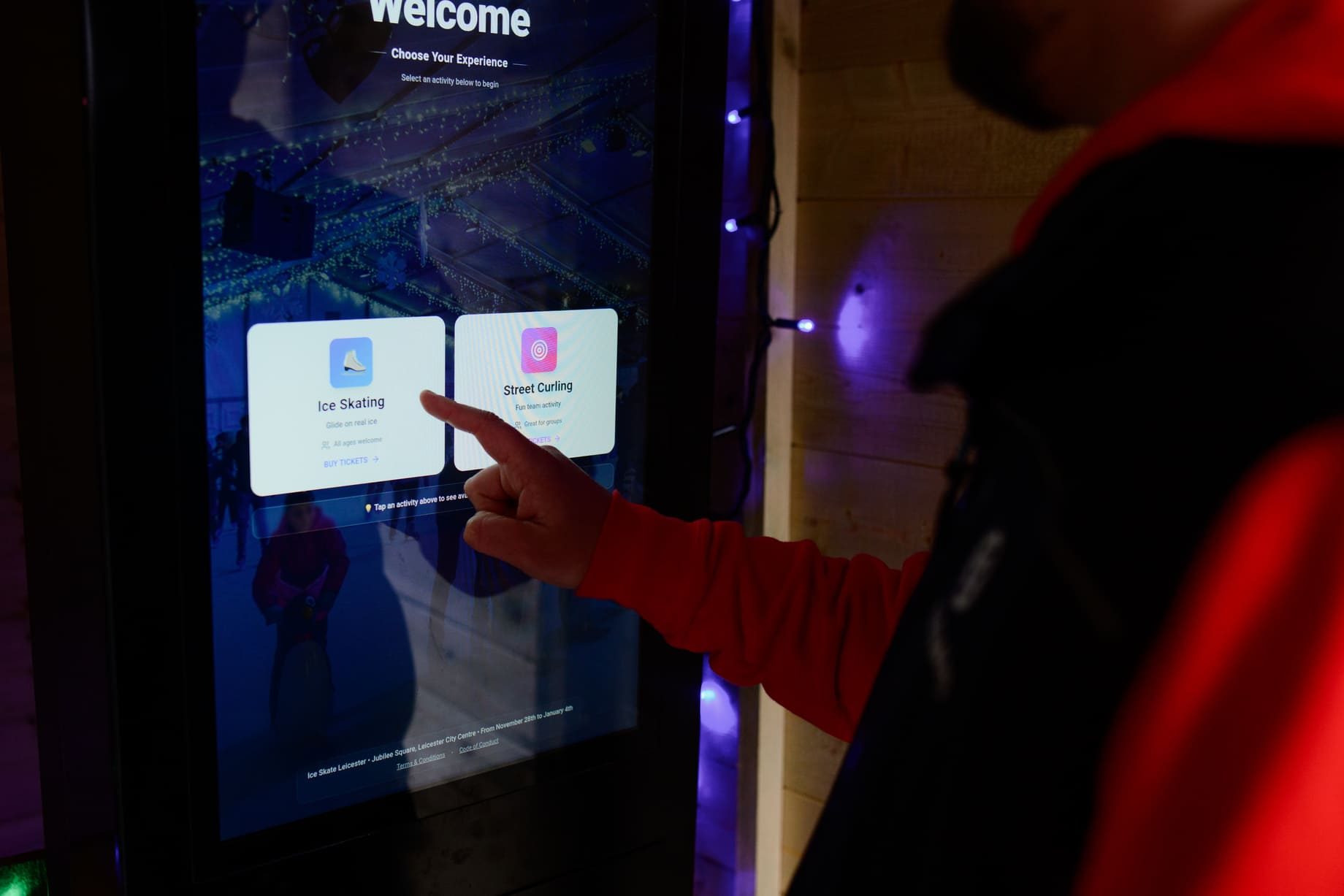
VenueOra is a timed entry ticketing system built on sessions and bookings, already live for ice rinks. Set sessions on a calendar, each with a capacity and buffer time before and after. Guests book a session at checkout, with hired kit on the same order.
Step by step
How it works
- 1
Set sessions on the calendar
Create sessions for each day with a start, an end and a capacity. Add buffer time before and after a session so the ice is cleared or the room is reset before the next group arrives.
- 2
Guests book a session
Guests pick a session at checkout, within the capacity you set, add hired kit such as skates where you offer it, and pay by Apple Pay, Google Pay or card. The booking is an order like any ticket sale.
- 3
Move a booking when plans change
Move a whole booking to another session, or move individual tickets within it, from the order. Each session keeps its own count, so the door expects the right number at the right time.
- 4
Check in and hand over kit
Staff scan the QR code at the door or on a kiosk. Where you hire kit, the skate-hire kiosk scans the ticket, takes a size and allocates a pair into a locker, so the kit and the locker stay together.
What you get
Timed entry built on sessions
Sessions sit on a calendar with a start, an end and a capacity each. Bookings use the same order record as ticket sales, so a session venue runs on the same dashboard as an event venue.
Capacity with buffer time
Each session has its own capacity, and buffer time before and after it. The gap covers clearing the ice, resetting a room or letting one group leave before the next one is let in.
Bookings moved between sessions
Change the session on a whole booking or on individual tickets within it. A family that arrives late, or a group that wants to split across two sessions, is handled from the order rather than refunded and resold.
Kit hire on the same order
Asset categories by size and type, individual assets tagged with QR or NFC, and bundles such as a pair of skates or a family pack of kit. A reservation links the bundle to the ticket, basket or locker session.
Scan a tag, find the kit
Scan the QR or NFC tag on any asset and see who has it, which locker it belongs in and whether it is already out. At the end of a session, missing kit is a list, not a guess.
Session reports
Session venues get session reports alongside sales, VAT, year-on-year and daily capacity reports, so you can see which sessions fill, which run light and how this week compares with the same week last year.
-
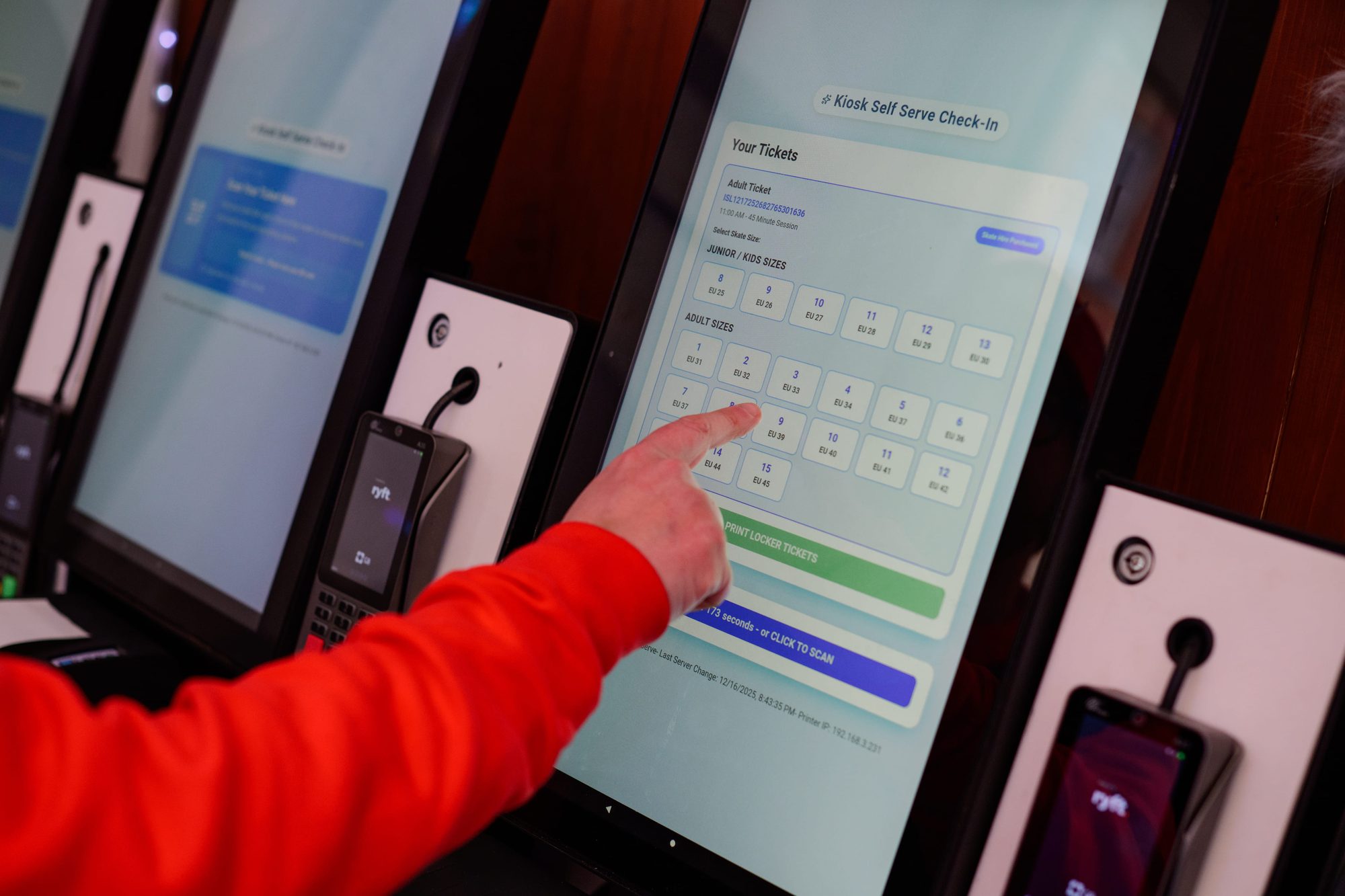
Self-serve check-in on a VenueOra kiosk: pick a skate size and get a locker -
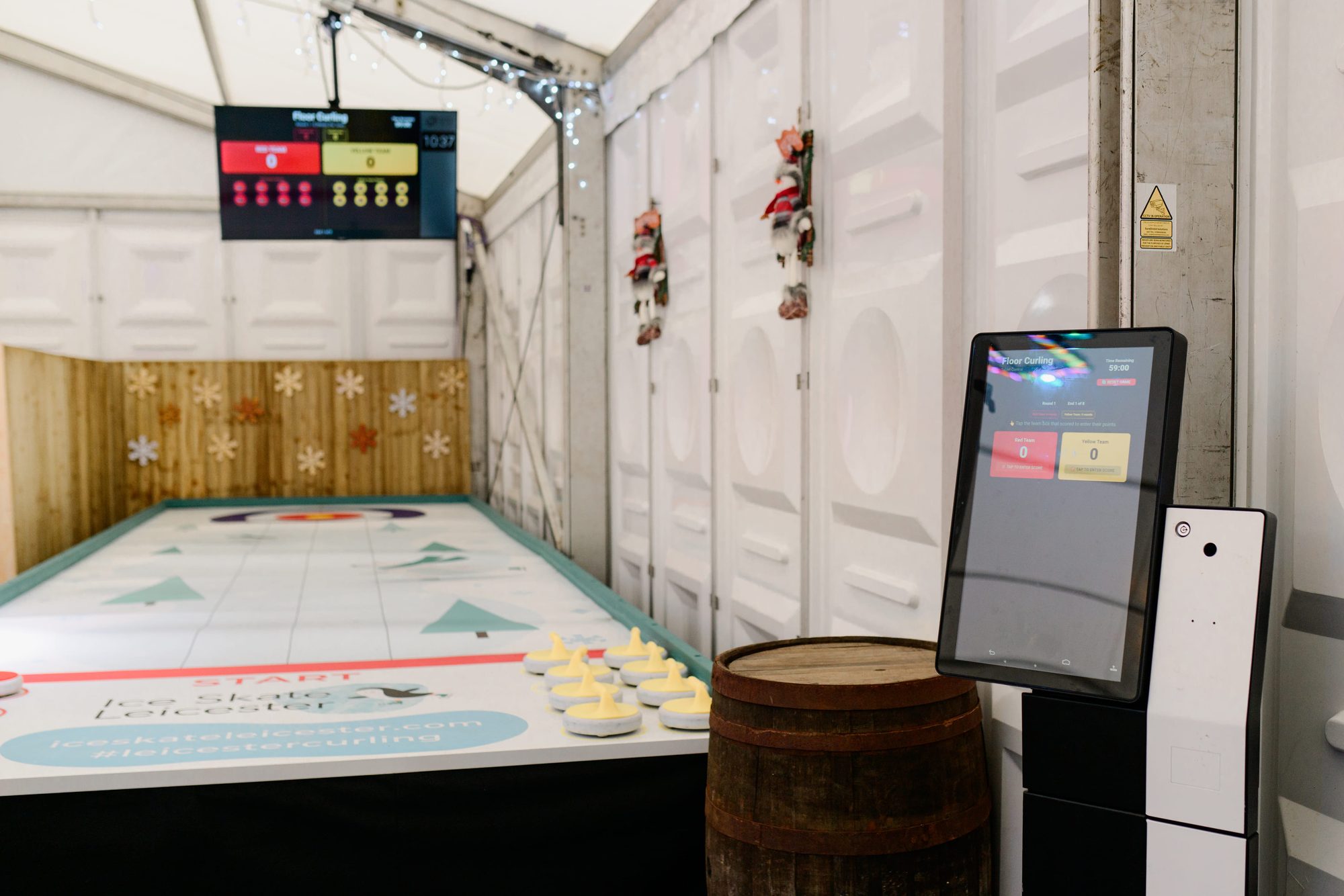
A VenueOra kiosk beside a curling lane in a marquee
Why one platform
One order from the session to the skate locker
A timed-entry ticket on its own tells you a guest arrived. On VenueOra the booking, the hired kit, the locker and any kiosk payment sit on one order record, and on the member or guest record behind it, because sessions, lockers and kiosks run on the same engine as ticketing. It is already live for ice rinks.
Sessions, tickets and memberships
A session booking uses the same order record as an event ticket, so the same branded checkout, wallet passes, QR check-in and refunds serve both kinds of venue.
Lockers tied to the hire
VenueOra's locker management assigns a locker to a ticket or a guest, opens it by PIN or NFC and ties a locker session to hired assets, so the skates and the locker stay together.
Card data off your hardware
Online and kiosk payments run through a PCI DSS Level 1 acquiring partner. Card data never touches your tills, kiosks or lockers, whether the guest pays at home or at the rink.
Outcomes
What changes for your venue
01
Arrivals spread by session
Guests book a session rather than a day, so the queue at ten is the ten o'clock session and the buffer time between sessions is time your staff planned for.
02
Capacity held to the number
Each session carries its own capacity, so staffing, safety limits and the number of pairs of skates on the rack are planned against a figure that online sales will not exceed.
03
Kit and locker stay together
A pair of skates, the locker it lives in and the ticket that hired it are one reservation, so the kiosk hands over the right size and staff can see where each pair went.
FAQ
Questions venues ask
What is a timed entry ticketing system?
Timed entry sells admission for a session rather than for the whole day, with a capacity on each session so arrivals are spread and sales stop at the number you planned for. On VenueOra, sessions sit on a calendar with buffer time before and after, bookings use the same order record as ticket sales, and venues that hire kit such as skates attach it to the same order. It is already live for ice rinks.
How do I set capacity and buffer time for a session?
Each session on the calendar has a start, an end and its own capacity, and you set buffer time before and after it. The buffer is the gap for clearing the ice, resetting the room or getting one group out before the next comes in, and it is part of the session rather than a note in a diary. Daily capacity and session reports show how each session filled against the number you set.
What happens if a guest misses their session?
You move the booking. From the order, staff change the session on the whole booking or on individual tickets within it, so a family that arrives late can join the next session with space and the rest of their party can stay where they were. Your own admission terms decide whether a late arrival is moved, and the refund and cancellation tools on the same order cover the cases where they are not.
Can I hire out skates or other kit with the session?
Yes. Asset hire is built in for venues that sell time and kit. You create asset categories by size and type, tag individual items with QR or NFC, and group them into bundles such as a pair of skates. A reservation links the bundle to the ticket, the basket or a locker session. On site, the skate-hire kiosk scans the ticket, takes a size and allocates a pair into a locker. Scan any tag to see who has it and whether it is already out.
Does timed entry work for soft play and museums as well as ice rinks?
Yes. Sessions, capacity and buffer time are not specific to ice. A soft play centre selling fixed sessions through the day, a museum running hourly entry and a rink running public skating all set up sessions on the same calendar and sell them through the same branded checkout. Ice rinks are where it is already live, because they also hire kit and use lockers; a venue without kit does not use asset hire.
What does timed entry ticketing cost?
The same two plans as the rest of VenueOra, plus bespoke. The Free plan has no monthly fee and charges £1.50 per ticket sold; the Venue plan is £150 a month and 80p per ticket sold. Sessions, bookings and asset hire are part of the platform rather than a separate product, and you set your own session and hire prices. Groups, multi-venue operators and high volumes are priced on request through the request form on the pricing page.
Related
Industry
Theme parks
ReadIndustry
Museums and galleries
ReadIndustry
Soft play
ReadGuide
Timed entry ticketing: capacity and time slots
How a timed entry ticketing system works at UK attractions: capacity per slot, slot length by venue type, no-shows, gate scanning and fill-rate reporting.
ReadGuide
What is attraction management software?
What is attraction management software: a plain definition, how it differs from booking and hospitality venue software, the components and buying questions.
ReadSee VenueOra on your own venue
Tell us what your venue sells and we will walk you through the guest record, the gate and the till with your own numbers.